World Backup Day is an annual event observed on March 31st dedicated to raising awareness about the importance of regularly backing up personal and professional data to prevent data loss. What was once seen primarily as a workplace requirement has now become just as critical in our home environments, where personal photos, financial records, and digital memories are increasingly stored and relied upon.
For an individual consumer, the global average total cost of a data breach was USD $4.44 million (IBM Security & Ponemon Institute Cost of a Data Breach Report 2025), Out of this the highest cost globally was the United States with an average of USD $10.22 million .
Protecting Yourself with Data Backups
One of the most effective ways to protect yourself against data loss is through regular data backups. For many home users, however, setting up reliable backups can feel like a significant investment. Paid cloud storage solutions, while convenient, can be costly over time and often lack flexibility. These services are also commonly exploited by cybercriminals through phishing emails that falsely claim your storage is full and urge immediate payment. Tricking users into revealing their Apple ID or other personal information.
Why Consider Network Attached Storage (NAS)?
Network Attached Storage (NAS) devices offer a compelling alternative for both home users and businesses, providing greater control, flexibility, and long‑term value. Key benefits include:
- Easy Setup and Accessibility
Access files, perform backups, and retrieve documents seamlessly using the built‑in Network tab in Windows or macOS. - Backups and Data Redundancy
Protect all your devices—from computers to smartphones—with centralized backups stored in one secure location. - Expandable Storage
Easily increase capacity as your needs grow, without worrying about running out of space on individual devices. - Cost Savings
Eliminate recurring monthly subscription fees by investing in your own private storage solution. - Create Your Own Media Server
Host and stream your music, videos, and photos to any device in your home. - Innovation and Flexibility
Use your NAS to host websites, run virtual machines (VMs), or experiment with new technologies. Essentially creating your own mini server.
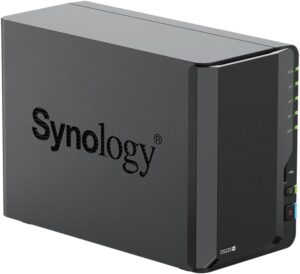
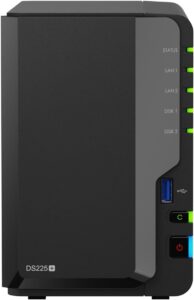
Synology DiskStation “25‑series”
The Synology DiskStation 25‑series is Synology’s current-generation desktop NAS lineup. The 25‑series consists of the following Plus‑series models:
- DS225+ – 2‑bay
- DS425+ – 4‑bay
- DS725+ – 2‑bay (higher‑end)
- DS925+ – 4‑bay
- DS1525+ – 5‑bay
- DS1825+ – 8‑bay (largest desktop model)
These models span entry‑level through advanced prosumer/SMB use cases, all running Synology DiskStation Manager (DSM).
All‑in‑One Media and File Access
Synology NAS devices come with an all‑in‑one software platform that lets you stream movies, access photos, and transfer files from virtually any device. Synology’s built‑in applications allow you to create a centralized home media library for watching movies, listening to music, and managing files across your phones, tablets, PCs, and smart TVs.
Access Your Data Anywhere, on Any Device
With Synology, your data is not tied to a single location. You can sync photos in real time, access files remotely from anywhere, and securely share content with family members or trusted users—whether you’re at home or on the go.
Smart Photo Management and Search
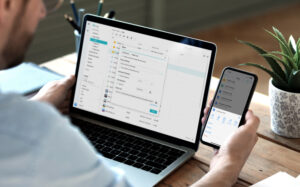
For anyone who has struggled to find a specific photo among thousands—or even millions. All stored on their NAS, Synology offers powerful built‑in intelligence. The NAS includes photo recognition and smart search capabilities, allowing you to search your photo library using text descriptions based on recognized details within images, making it far easier to locate memories when you need them.
Smart NAS for your Essentials
The Synology DiskStation 25‑series represents the latest generation of desktop NAS solutions, ranging from entry‑level to advanced prosumer and small‑business models. Powered by Synology’s DiskStation Manager (DSM), these systems deliver all‑in‑one media access, real‑time photo syncing, secure remote file access, and intelligent photo search capabilities that make managing large libraries simple and efficient.
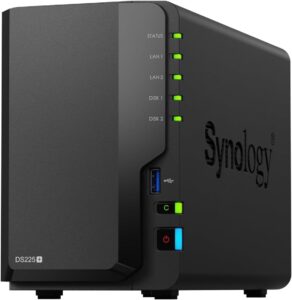
Features and Specifications
| Dimensions (H × W × D): | 165 × 108 × 232.2 mm |
| Weight (without drives): | 1.3 kg |
| Noise Level: | 19.6 dB(A) |
| Power Supply: | 60 W (100–240 V AC, 50/60 Hz) |
| Power Consumption (Access): | 16.98 W |
| Power Consumption (HDD Hibernation): | 6.08 W |
| CPU: | Intel® Celeron® J4125 (Quad‑core, 64‑bit) |
| CPU Speed: | 2.0 GHz base / up to 2.7 GHz burst |
| Memory (Installed): | 2 GB DDR4 (non‑ECC) |
| Maximum Memory: | 6 GB (2 GB + 4 GB) |
| Drive Type: | 3.5″ SATA HDD / 2.5″ SATA HDD or SSD |
| Hot‑Swappable Drives: | Yes |
| Network Ports: | 1 × 2.5 GbE RJ‑45, 1 × 1 GbE RJ‑45 |
| USB Ports: | 2 × USB 3.2 Gen 1 |
| USB Copy Button: | Yes |
| Hardware Encryption Engine: | Yes |
| Cooling: | 1 × 92 mm system fan |
| Drive Bays: | 2‑bay NAS |
| Max Raw Capacity: | Up to 40 TB (2 × 20 TB drives) |
| File Systems: | Btrfs, EXT4 |
| Backup Features: | Multi‑device backup, snapshots, Synology C2 support |
| Media Capabilities: | Photo management, video and music streaming |
| Remote Access: | Synology QuickConnect |
| Operating System: | Synology DiskStation Manager (DSM) |
For more information or to purchase the Synology DS225+
About Synology
Synology serves customers worldwide with a strong focus on helping individuals and organizations store, protect, and manage data securely